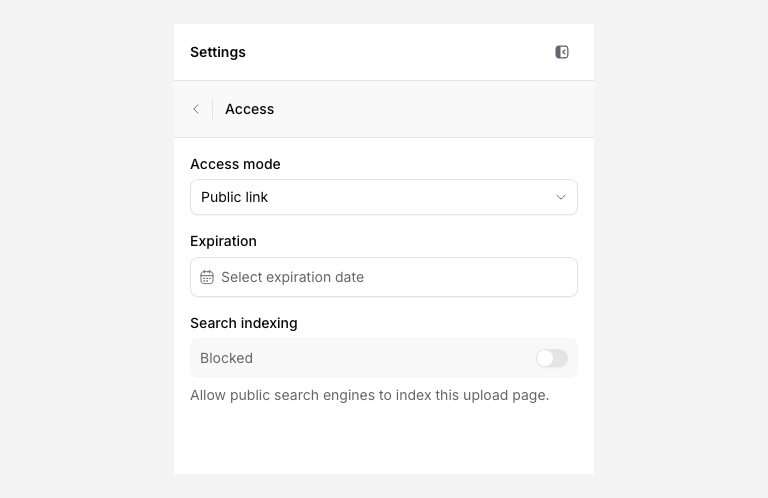
Open Access in the page editor to review how people reach the request. A public link lets its holder open the page; a shared password adds a page-level check on a supporting plan.
Add a password
Choose the password access mode and set a password that meets the displayed requirements. The editor requires at least eight characters. Save the change, then test the public link in a private browser window. Give the password to the intended uploaders through a suitable channel.
A page password belongs to the request. Uploaders do not use their Google, Microsoft, or PigeonFiles account password. It does not identify an individual sender or change cloud folder permissions.
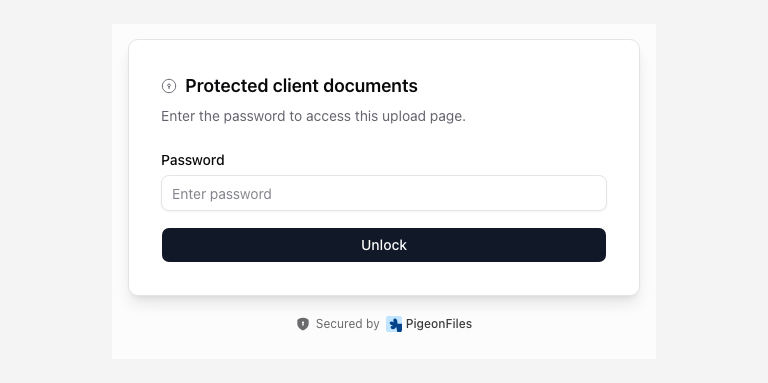
If an uploader reports a rejected password, check the current saved setting and resend it without extra spaces. Change the page password if the request’s audience changes.
Set a closing date
Review Expiration and choose the closing date offered for your page. Save and check the resulting availability notice. A paid plan removes the Free plan’s three-day lifetime; an explicit closing date can still close the request.
On Free, saves to an enabled page do not extend its current availability window. A page carried from the older application may retain its original closing boundary. Follow page availability for renewal and expiry behavior.
Control search indexing
Review the Search indexing setting. Blocking search indexing asks compliant search engines not to index the public page; it does not authenticate visitors or stop someone opening a shared link. Use access controls appropriate to the information you collect.
Close collection now
Use the Enabled control to disable the page. Archive it when you want it out of the active collection. Check existing submissions before asking anyone to resend files.
For sensitive workflows, review file access and storage responsibilities.