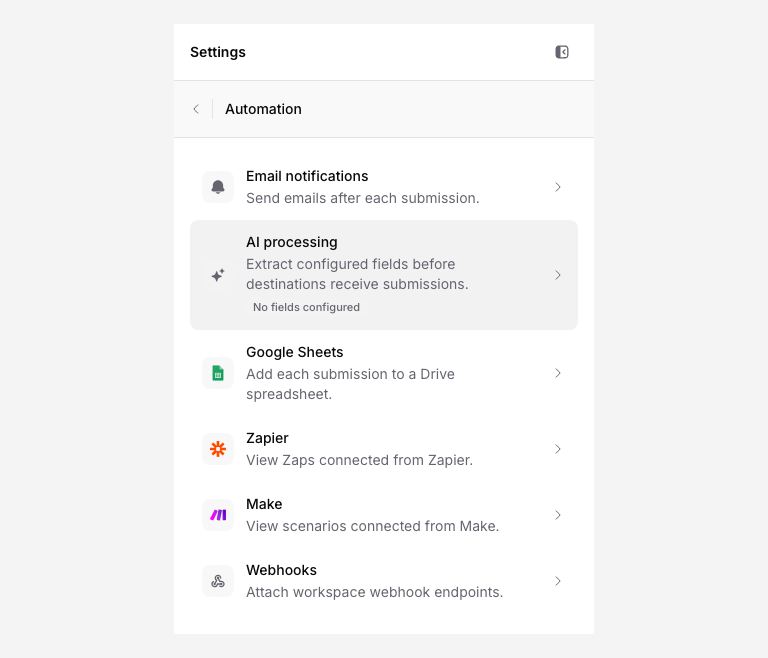
Create a follow-up task from a submission through Zapier, Make, or a webhook receiver. Configure the task action in your project tool and map the submission details you need.
Decide when a task should be created
Not every upload needs a task. Decide what triggers one:
- Every submission creates a review task. Good for document processing workflows where someone needs to check every upload.
- Specific document types create tasks. Use a filter in Zapier/Make so only certain document types trigger tasks, for example, contracts that need review but not receipts.
- Specific upload pages create tasks. If you have multiple upload pages, you might only want tasks for pages tied to client onboarding, not for general file collection.
Add fields that tell the team what to do next
The upload page fields become the task details. Make sure your page collects enough context for the reviewer:
- Client / Company, who sent the file
- Document type, what needs to be reviewed
- Email, contact for follow-up
- Notes, any context the uploader provided
These field values map into the task title, description, or custom fields.
Choose the automation path
| Path | Best for |
|---|---|
| Zapier | Quick setup, no code, pre-built connectors for most task tools |
| Make | More flexible field mapping and conditional logic |
| Webhook | Custom integrations where you control the task creation logic |
| API | Programmatic access for technical teams |
Map submission data into a task
A typical task mapping:
| Task field | PigeonFiles source |
|---|---|
| Title | Review [Document type] from [Client / Company] |
| Description | Uploader: [Contact name] ([Email])\nFiles: [File count] file(s)\nStorage: [Destination path]\nNotes: [Notes] |
| Assignee | Fixed team member or conditional by document type |
| Due date | Submission date + your review SLA (e.g., +2 business days) |
| Link/attachment | File link from submission |
Example task title
Review Insurance Certificate from Pacific Electric
The title should tell the assignee what to do and who it is about at a glance.
Include file links and storage path
Include the storage destination path or file link in the task description so the reviewer can go directly to the file without searching. PigeonFiles submission data includes the storage path and file names, map these into the task body.
If your task tool supports link or attachment fields, use the file link directly.
Test with a sample upload
- Submit a test file through the upload page.
- Check that a task appeared in your task tool.
- Verify the title, description, assignee, and file link are correct.
- Upload a second test to make sure each submission creates a separate task.
Troubleshoot missing fields or duplicate tasks
Missing fields in the task: Check that the upload page fields are mapped correctly in your Zapier Zap or Make scenario. Optional fields may be blank in some submissions, use default values in your automation for these cases.
Duplicate tasks: Check that you do not have multiple active Zaps, scenarios, or webhooks for the same upload page. Each active automation fires independently on every submission.
Tasks not creating: Check the Zapier task history or Make scenario log for errors. Common causes include expired task-tool tokens, incorrect field mappings, or rate limits.
Related pages
- Connect Zapier for Zapier setup.
- Connect Make for Make setup.
- Create a webhook endpoint for webhook setup.
- Create API token for API access.
- Automations and integrations.
Frequently asked questions
Does PigeonFiles integrate natively with task management tools?
No. PigeonFiles sends submission data through Zapier, Make, webhooks, or the API. You configure the task tool connection in your automation platform.
Can I assign tasks to specific team members?
Yes, through your automation. Map a fixed assignee or use conditional logic in Zapier/Make to route tasks based on document type, client, or upload page.
Does PigeonFiles track task status?
No. PigeonFiles creates the submission record and triggers the automation. Task status is managed in your task tool.